NexusFi: Find Your Edge


Home Menu


Tro buy zone


Discussion in NinjaTrader

Updated
      Top Posters
    1. looks_one Jeff Castille with 5 posts (1 thanks)
    2. looks_two sam028 with 4 posts (15 thanks)
    3. looks_3 wh with 1 posts (5 thanks)
    4. looks_4 max-td with 1 posts (0 thanks)
    1. trending_up 11,466 views
    2. thumb_up 21 thanks given
    3. group 4 followers
    1. forum 12 posts
    2. attach_file 7 attachments


Search this Thread
  #1 (permalink)
 
Jeff Castille's Avatar
 Jeff Castille 
Northern California
Legendary Market Wizard
 
Experience: Intermediate
Platform: Charles Schwab
Broker: Charles Schwab
Trading: Gold/Silver Fertilizers
Frequency: Other
Duration: Months
Posts: 2,111 since Jun 2009
Thanks Given: 1,785
Thanks Received: 3,311

Greetings Programmers,

I am not a programmer. However, I was hoping that I could get some help from someone who is a programmer.

I am trying to change the TRO BUY ZONE indicator from hourly to half hourly. I've pulled up to code and I can see the areas in the code that refer to hourly and I'm wondering if all I have to do is put half hourly in instead? Will this work? Or do I have to do something else to get it to work on the half hour?

Thanks, Jeff


Follow me on X Started this thread Reply With Quote

Can you help answer these questions
from other members on NexusFi?
Trump Truth Social Fires Hormuz From 10% to 59% -- Arsen …
Prediction Markets & Event Contracts
The May 31 Binary: 60% Trump Declares Iran Ops Over, Onl …
Prediction Markets & Event Contracts
UCL Final Kicks Off at Noon ET: PSG at 56.5% as Iran May …
Prediction Markets & Event Contracts
Iran Talks Final Stages -- Two VLCCs Exit Hormuz, Record …
Traders Hideout
Coinbase Launches Regulated Crypto Futures Across 26 Eur …
Cryptocurrency
 
Best Threads (Most Thanked)
in the last 7 days on NexusFi
Sober Journey With S&P
21 thanks
2026 Jlab journal
10 thanks
Trying to learn Volume and price action correlation
8 thanks
Algo automated / semi-automated trading anyone?
6 thanks
Lady Vols Primer: Trading Volatility Journal
5 thanks
  #2 (permalink)
 
max-td's Avatar
 max-td 
Frankfurt
 
Experience: Intermediate
Platform: NinjaTrader
Trading: FGBL 6E B4
Posts: 1,752 since Jun 2009
Thanks Given: 2,309
Thanks Received: 927

hey jeff,
post the part of code you think you should change please.
also some lines above + below.


max-td
Reply With Quote
  #3 (permalink)
 
Jeff Castille's Avatar
 Jeff Castille 
Northern California
Legendary Market Wizard
 
Experience: Intermediate
Platform: Charles Schwab
Broker: Charles Schwab
Trading: Gold/Silver Fertilizers
Frequency: Other
Duration: Months
Posts: 2,111 since Jun 2009
Thanks Given: 1,785
Thanks Received: 3,311


Here it is in it's entirety.


Attached Files
Elite Membership required to download: TRO_Buy_Zone.cs
Follow me on X Started this thread Reply With Quote
Thanked by:
  #4 (permalink)
 
sam028's Avatar
 sam028 
Site Moderator
 
Posts: 3,756 since Jun 2009
Thanks Given: 3,825
Thanks Received: 4,632


Jeff Castille View Post
Here it is in it's entirety.

I'm looking to it too max, you'll need this too.
I' don't have a lot of time now, I'll spend 30 min on it, then bed...


Attached Files
Elite Membership required to download: CurrentHourOHL.cs
Follow me on X Reply With Quote
Thanked by:
  #5 (permalink)
 
sam028's Avatar
 sam028 
Site Moderator
 
Posts: 3,756 since Jun 2009
Thanks Given: 3,825
Thanks Received: 4,632

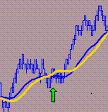
Quick and dirty work...


Attached Thumbnails
Click image for larger version

Name:	2009-09-09_2347.png
Views:	676
Size:	25.2 KB
ID:	1864  
Attached Files
Elite Membership required to download: TROHalfHourlyBuyZone.cs
Elite Membership required to download: CurrentHalfHourOHL.cs
Follow me on X Reply With Quote
  #6 (permalink)
 
Jeff Castille's Avatar
 Jeff Castille 
Northern California
Legendary Market Wizard
 
Experience: Intermediate
Platform: Charles Schwab
Broker: Charles Schwab
Trading: Gold/Silver Fertilizers
Frequency: Other
Duration: Months
Posts: 2,111 since Jun 2009
Thanks Given: 1,785
Thanks Received: 3,311

Just the way we like it !!!

Thanks so much !!


Follow me on X Started this thread Reply With Quote
  #7 (permalink)
 
Jeff Castille's Avatar
 Jeff Castille 
Northern California
Legendary Market Wizard
 
Experience: Intermediate
Platform: Charles Schwab
Broker: Charles Schwab
Trading: Gold/Silver Fertilizers
Frequency: Other
Duration: Months
Posts: 2,111 since Jun 2009
Thanks Given: 1,785
Thanks Received: 3,311

Hi Sam ,

I hate to bother you but..... I don't know how to get it from this format into an indicator in Ninja. I have such limited knowledge.

Jeff


Follow me on X Started this thread Reply With Quote
  #8 (permalink)
 
sam028's Avatar
 sam028 
Site Moderator
 
Posts: 3,756 since Jun 2009
Thanks Given: 3,825
Thanks Received: 4,632


Jeff Castille View Post
Hi Sam ,

I hate to bother you but..... I don't know how to get it from this format into an indicator in Ninja. I have such limited knowledge.

Jeff

Nobody's perfect .

Copy the two .cs files in "My Documents\NinjaTrader 6.5\bin\Custom\Indicator"
Then
1) Open NinjaTrader
2) From the Control Center -> Tools -> Edit NinjaScript -> Indicator
3) Select TROHalfHourlyBuyZone indicator and double click on it
4) Then compile it ( <F5> key )

After that, you should have it in your indicators list.


Follow me on X Reply With Quote
Thanked by:
  #9 (permalink)
 
Jeff Castille's Avatar
 Jeff Castille 
Northern California
Legendary Market Wizard
 
Experience: Intermediate
Platform: Charles Schwab
Broker: Charles Schwab
Trading: Gold/Silver Fertilizers
Frequency: Other
Duration: Months
Posts: 2,111 since Jun 2009
Thanks Given: 1,785
Thanks Received: 3,311

All right !!! I'm in business. Thanks so much.


Follow me on X Started this thread Reply With Quote
  #10 (permalink)
 
lolu's Avatar
 lolu 
Lagos, Nigeria
 
Experience: Intermediate
Platform: NinjaTrader, SierraChart
Trading: Euro Currency & Oil
Frequency: Daily
Duration: Hours
Posts: 2,555 since Jun 2009
Thanks Given: 1,050
Thanks Received: 1,679


sam028 View Post
Nobody's perfect .

Copy the two .cs files in "My Documents\NinjaTrader 6.5\bin\Custom\Indicator"
Then
1) Open NinjaTrader
2) From the Control Center -> Tools -> Edit NinjaScript -> Indicator
3) Select TROHalfHourlyBuyZone indicator and double click on it
4) Then compile it ( <F5> key )

After that, you should have it in your indicators list.

Sam,

TROHalfHourlyBuyZone is not compiling.

Compilation error says "NinjaTrader.Indicator.CurrentHalfHourlyOHL' does not contain a definition for 'HalfHourBreak'.

Lolu


Visit my NexusFi Trade Journal Reply With Quote


Last Updated on September 12, 2009


© 2026 NexusFi®, s.a., All Rights Reserved.
Av Ricardo J. Alfaro, Century Tower, Panama City, Panama, Ph: +507 833-9432 (Panama and Intl), +1 888-312-3001 (USA and Canada)
All information is for educational use only and is not investment advice. There is a substantial risk of loss in trading commodity futures, stocks, options and foreign exchange products. Past performance is not indicative of future results.
About Us - Contact Us - Site Rules, Acceptable Use, and Terms and Conditions - Downloads - Top
no new posts