NexusFi: Find Your Edge


Home Menu


ECO2 PaintBars only


Discussion in NinjaTrader

Updated
    1. trending_up 4,292 views
    2. thumb_up 1 thanks given
    3. group 0 followers
    1. forum 5 posts
    2. attach_file 1 attachments


Search this Thread
  #1 (permalink)
 vegasfoster 
las vegas
 
Experience: Intermediate
Platform: Sierra Chart
Broker: Velocity/IB
Trading: 6E
Posts: 1,145 since Feb 2010
Thanks Given: 304
Thanks Received: 845

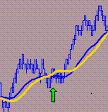
I slightly modified the ECO2 to add more paintbar colors, but I would like to modify it so that only the paintbars display and not the lower indicator (The ECO Bars indicator does not produce the same results at the ECO2 bars). I tried commenting out the plots, but then the paint bars don't plot either. My other efforts to get rid of it were the same. I would appreciate any help, thanks.


Attached Files
Elite Membership required to download: ECO2PAINTBARSONLY.zip
Started this thread Reply With Quote

Can you help answer these questions
from other members on NexusFi?
Topstep Acquires The Futures Desk -- Prop Firm Consolida …
Funded Trading Evaluation Firms
Iran Update May 8: Still Reviewing MOU, Demands Reparati …
Traders Hideout
The May 31 Binary: 60% Trump Declares Iran Ops Over, Onl …
Prediction Markets & Event Contracts
February NFP Preview -- Why This Mornings Jobs Number Co …
Traders Hideout
Kharg Island at 6%, Regime Fall at 1.5% -- The Black Swa …
Prediction Markets & Event Contracts
 
Best Threads (Most Thanked)
in the last 7 days on NexusFi
Sober Journey With S&P
23 thanks
2026 Jlab journal
10 thanks
Trying to learn Volume and price action correlation
7 thanks
Algo automated / semi-automated trading anyone?
6 thanks
Lady Vols Primer: Trading Volatility Journal
6 thanks
  #3 (permalink)
 
max-td's Avatar
 max-td 
Frankfurt
 
Experience: Intermediate
Platform: NinjaTrader
Trading: FGBL 6E B4
Posts: 1,752 since Jun 2009
Thanks Given: 2,309
Thanks Received: 927


Hi vegas,
how about putting the indicator in panel 1 and set autoscale = false ?

maybe its not a solution for currencies but for other stuff it may work.


max-td
Reply With Quote
  #4 (permalink)
 vegasfoster 
las vegas
 
Experience: Intermediate
Platform: Sierra Chart
Broker: Velocity/IB
Trading: 6E
Posts: 1,145 since Feb 2010
Thanks Given: 304
Thanks Received: 845

Thanks, that was a good idea, but the grid no longer shows, it makes the whole background solid white. I like to pay attention to the psychological levels at each 50 and 100 and I forget about them if they aren't there. Hmmm.


Started this thread Reply With Quote
  #5 (permalink)
 
max-td's Avatar
 max-td 
Frankfurt
 
Experience: Intermediate
Platform: NinjaTrader
Trading: FGBL 6E B4
Posts: 1,752 since Jun 2009
Thanks Given: 2,309
Thanks Received: 927

then you gotta look what colors the background (BackColor) in the indicator + outcomment this coloring-function.
i cant look in it now - but i think there must be BackColor-function inside what causes this.


max-td
Reply With Quote
Thanked by:
  #6 (permalink)
 vegasfoster 
las vegas
 
Experience: Intermediate
Platform: Sierra Chart
Broker: Velocity/IB
Trading: 6E
Posts: 1,145 since Feb 2010
Thanks Given: 304
Thanks Received: 845

Another good idea, there is a center band on the indicator, it was set to "empty", so I changed it to transparent and that fixed it. Thanks!


Started this thread Reply With Quote


Last Updated on April 14, 2010


© 2026 NexusFi®, s.a., All Rights Reserved.
Av Ricardo J. Alfaro, Century Tower, Panama City, Panama, Ph: +507 833-9432 (Panama and Intl), +1 888-312-3001 (USA and Canada)
All information is for educational use only and is not investment advice. There is a substantial risk of loss in trading commodity futures, stocks, options and foreign exchange products. Past performance is not indicative of future results.
About Us - Contact Us - Site Rules, Acceptable Use, and Terms and Conditions - Downloads - Top
no new posts