NexusFi: Find Your Edge


Home Menu


NT7 - indicator plotting priorities .. or so ;)


Discussion in NinjaTrader

Updated
    1. trending_up 3,701 views
    2. thumb_up 2 thanks given
    3. group 2 followers
    1. forum 3 posts
    2. attach_file 1 attachments


Search this Thread
  #1 (permalink)
 
max-td's Avatar
 max-td 
Frankfurt
 
Experience: Intermediate
Platform: NinjaTrader
Trading: FGBL 6E B4
Posts: 1,752 since Jun 2009
Thanks Given: 2,309
Thanks Received: 927

i have a Q

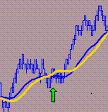
i remeber being said that in NT7 you can adjust / change the indicators / Drawobjects plotting priorities in a chart - means wich one is plotted behind or in front of the other one. how do i do that ? dont remember how it works.

thanks for infos !
max


Started this thread Reply With Quote

Can you help answer these questions
from other members on NexusFi?
Hungary Called for Magyar at 97pct, Ending 16-Year Orban …
Prediction Markets & Event Contracts
Iran War Prediction Markets: Ceasefire 16%, Ground Invas …
Prediction Markets & Event Contracts
CPI Eve: Fed Hike Odds Hold at 52% for the First Time, I …
Prediction Markets & Event Contracts
SEC and CFTC Unlock Customer Cross-Margining for Treasur …
Treasury Notes and Bonds
NinjaTrader Parent Payward Acquires Bitnomial for $550M …
Platforms and Indicators
 
Best Threads (Most Thanked)
in the last 7 days on NexusFi
Sober Journey With S&P
21 thanks
2026 Jlab journal
10 thanks
Algo automated / semi-automated trading anyone?
6 thanks
Lady Vols Primer: Trading Volatility Journal
6 thanks
2026 Fire Horse
5 thanks
  #3 (permalink)
 
redratsal's Avatar
 redratsal 
Milan (I)
 
Experience: Advanced
Platform: Ninjatrader
Broker: Kinetick
Trading: FDAX,6E,CL,YM,NQ,ES
Posts: 1,648 since Oct 2010
Thanks Given: 1,215
Thanks Received: 2,090


max-td View Post
i have a Q

i remeber being said that in NT7 you can adjust / change the indicators / Drawobjects plotting priorities in a chart - means wich one is plotted behind or in front of the other one. how do i do that ? dont remember how it works.

thanks for infos !
max


NinjaTrader 7 Features

New Chart Object Paint Ordering (z-order)


As you select any object on a chart, hold down the SHIFT key and scroll with your mouse wheel, you can change the paint layer of the selected object in order to move it in front of or behind other drawn objects. Click the image to the left to enlarge, the rectangle is selected and is currently on "Level 5 of 5" meaning, it is at the very bottom of the paint order. You could scroll your mouse wheel to "Level 1 of 5" which would put the rectangle on top of all others objects.


Visit my NexusFi Trade Journal Reply With Quote
Thanked by:
  #4 (permalink)
 
max-td's Avatar
 max-td 
Frankfurt
 
Experience: Intermediate
Platform: NinjaTrader
Trading: FGBL 6E B4
Posts: 1,752 since Jun 2009
Thanks Given: 2,309
Thanks Received: 927

Great, thats what i looked for !
thanks!

shift + mouse wheel - lol - very well hidden


max-td
Attached Images
 
Started this thread Reply With Quote


Last Updated on February 11, 2011


© 2026 NexusFi®, s.a., All Rights Reserved.
Av Ricardo J. Alfaro, Century Tower, Panama City, Panama, Ph: +507 833-9432 (Panama and Intl), +1 888-312-3001 (USA and Canada)
All information is for educational use only and is not investment advice. There is a substantial risk of loss in trading commodity futures, stocks, options and foreign exchange products. Past performance is not indicative of future results.
About Us - Contact Us - Site Rules, Acceptable Use, and Terms and Conditions - Downloads - Top
no new posts