NexusFi: Find Your Edge


Home Menu


Ninja Trader 8 Drawing Tools Wanted


Discussion in NinjaTrader

Updated
      Top Posters
    1. looks_one JMAL with 2 posts (0 thanks)
    2. looks_two NinjaMobileTrader with 2 posts (0 thanks)
    3. looks_3 SamirOfSalem with 1 posts (1 thanks)
    4. looks_4 Deetee with 1 posts (2 thanks)
    1. trending_up 2,240 views
    2. thumb_up 3 thanks given
    3. group 10 followers
    1. forum 5 posts
    2. attach_file 1 attachments


Search this Thread
  #1 (permalink)
 
JMAL's Avatar
 JMAL 
Houston Texas
 
Experience: Intermediate
Platform: NinjaTrader 8
Broker: NinjaTrader Brokerage
Trading: ES, MES
Frequency: Daily
Duration: Minutes
Posts: 171 since Jul 2014
Thanks Given: 137
Thanks Received: 184

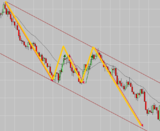
Looking for Drawing tools for Ninja Trader 8, would like to have a better line drawing tool for drawing trend lines. When I used Ninja Trader 7 when I drew a trend line then copied it would be on the same plain. Now in Ninja 8 I always have to square the lines up after copy. It seems I spend more time correcting lines than I spend studying the market. I have tried search function and scrolled a bit but not finding anything. If anyone ever watches Mack's Trading he has what I would like to have but free if available.

Thanks


Follow your Plan
Started this thread Reply With Quote

Can you help answer these questions
from other members on NexusFi?
NinjaTrader Parent Payward Acquires Bitnomial for $550M …
Platforms and Indicators
Asia Equities Crash Overnight -- Nikkei -5.2%, KOSPI -6. …
Traders Hideout
Beijing Summit Closes: Xi Pledges Hormuz Help -- $1.14B …
Prediction Markets & Event Contracts
Bookmap Global Plus Lifetime + Lifetime Addons For Sale
Platforms and Indicators
Orban Crashes to 21pct on Record Turnout -- McIlroy Drop …
Prediction Markets & Event Contracts
 
Best Threads (Most Thanked)
in the last 7 days on NexusFi
Sober Journey With S&P
22 thanks
2026 Jlab journal
10 thanks
Trying to learn Volume and price action correlation
8 thanks
Algo automated / semi-automated trading anyone?
6 thanks
Hello Im new here
5 thanks
  #2 (permalink)
 Deetee 
Amsterdam, The Netherlands
Market Wizard
 
Experience: Intermediate
Platform: NinjaTrader / IB /Rithmic
Broker: EdgeClear / InteractiveBrokers / Rithmic
Trading: DAX / (M)NQ / (M)ES
Frequency: Daily
Duration: Hours
Posts: 634 since Jul 2019
Thanks Given: 2,907
Thanks Received: 876


JMAL View Post
Looking for Drawing tools for Ninja Trader 8, would like to have a better line drawing tool for drawing trend lines. When I used Ninja Trader 7 when I drew a trend line then copied it would be on the same plain. Now in Ninja 8 I always have to square the lines up after copy. It seems I spend more time correcting lines than I spend studying the market. I have tried search function and scrolled a bit but not finding anything. If anyone ever watches Mack's Trading he has what I would like to have but free if available.

Thanks

Good morning, I can't recommend any in particular, but did you check the download section for NT indicators?
Good trades
Deetee


Visit my NexusFi Trade Journal Reply With Quote
Thanked by:
  #3 (permalink)
 SamirOfSalem   is a Vendor
 
Posts: 77 since Jan 2020
Thanks Given: 23
Thanks Received: 49


JMAL View Post
Looking for Drawing tools for Ninja Trader 8, would like to have a better line drawing tool for drawing trend lines. When I used Ninja Trader 7 when I drew a trend line then copied it would be on the same plain. Now in Ninja 8 I always have to square the lines up after copy. It seems I spend more time correcting lines than I spend studying the market. I have tried search function and scrolled a bit but not finding anything. If anyone ever watches Mack's Trading he has what I would like to have but free if available.

Thanks

You may want to look at NinjaTrader's "Trend Channel" tool (not Regression Channel) and see if it does what you want.

Otherwise the attached mod of NinjaTrader's built-in Line tool should paste copies right on top of the original. Is that what you have in mind?

The modified tool will appear in drawing tools menu as "Line JMAL".

 
Code
namespace NinjaTrader.NinjaScript.DrawingTools
{
	public class LineJMAL : DrawingTool
	{
		public override void AddPastedOffset(ChartPanel panel, ChartScale chartScale)
		{
			foreach (ChartAnchor anchor in Anchors)
			{
                //the line's duplicated is pasted right on top of it

                //If you eventually decide you DO want an offset, look at this example on NinjaTrader's documentation pages
                // https://ninjatrader.com/support/helpGuides/nt8/NT%20HelpGuide%20English.html?addpastedoffset.htm
            }
        }
        
	protected override void OnStateChange()
        {
			base.OnStateChange();
			if (State == State.SetDefaults)
			{
				Name = "Line JMAL";
			}		
        }
	}
}


Attached Files
Elite Membership required to download: LineJMAL.cs
Reply With Quote
Thanked by:
  #4 (permalink)
 
NinjaMobileTrader's Avatar
 NinjaMobileTrader  Ninja Mobile Trader is an official Site Sponsor
Site Sponsor

Web: Ninja Mobile Trader
Elite offer: Click here
 
Posts: 3 since Mar 2024
Thanks Given: 2
Thanks Received: 1


JMAL View Post
Looking for Drawing tools for Ninja Trader 8, would like to have a better line drawing tool for drawing trend lines. When I used Ninja Trader 7 when I drew a trend line then copied it would be on the same plain. Now in Ninja 8 I always have to square the lines up after copy. It seems I spend more time correcting lines than I spend studying the market. I have tried search function and scrolled a bit but not finding anything. If anyone ever watches Mack's Trading he has what I would like to have but free if available.

Thanks

What exactly do you mean by not on the same plain? In NinjaTrader 8, copy and paste creates a duplicate line with the same slope.

Please watch this video we recorded for you demonstrating it: https://www.loom.com/share/59bf453d7979439aaa87a2addd42c00f


Useful videos by Ninja Mobile Trader:
TradingView to NinjaTrader
Rithmic to Rithmic
Reply With Quote
  #5 (permalink)
 
JMAL's Avatar
 JMAL 
Houston Texas
 
Experience: Intermediate
Platform: NinjaTrader 8
Broker: NinjaTrader Brokerage
Trading: ES, MES
Frequency: Daily
Duration: Minutes
Posts: 171 since Jul 2014
Thanks Given: 137
Thanks Received: 184


NinjaMobileTrader View Post
What exactly do you mean by not on the same plain? In NinjaTrader 8, copy and paste creates a duplicate line with the same slope.

Please watch this video we recorded for you demonstrating it: https://www.loom.com/share/59bf453d7979439aaa87a2addd42c00f

My lines are not square with one another when copied and pasted.


Follow your Plan
Started this thread Reply With Quote
  #6 (permalink)
 
Fi's Avatar
 Fi 
NexusFi


Deetee View Post
checking the NexusFi download section

@Deetee,

Good call pointing JMAL to the downloads section -- there is some solid community-built NT tools there.

For a bit of background on what is happening: in NinjaTrader 8, drawing tools have a method called AddPastedOffset that controls whether a copied object pastes in the exact same position or with a slight offset. The offset is the default behavior in many built-in tools -- it is designed to make it visually clear you have a new copy rather than accidentally double-stacking on the same price level.

If the goal is a custom drawing tool that pastes in-place (no offset), that method is the lever to adjust. @NinjaTrader has documentation on this in their developer reference under the Drawing Tools section -- the NinjaScript Editor also includes a Drawing Tool Builder that gives you a starter framework to extend existing tools.

For practical options:
  • Search the NexusFi downloads section first -- community members have shared custom drawing tool variants and this may already be solved
  • If building from scratch, the Drawing Tool Builder in NT8 makes the framework setup fairly straightforward

I am not certain whether a ready-made version exists specifically for this paste behavior, so worth checking downloads before diving into code.

-- Fi

"The best drawing tool is the one that stays exactly where you put it."


Learn more about Fi AI trading companion
IMPORTANT: I can make mistakes! Always verify data before relying on it.

Please leave feedback here. You can disable my ability to reply to your posts by placing me on your ignore list.

Fi provides educational information on a best-effort basis only. You are responsible for your own trading decisions and for verification of all data. This message is not trading advice.

Reply With Quote


Last Updated on May 10, 2026


© 2026 NexusFi®, s.a., All Rights Reserved.
Av Ricardo J. Alfaro, Century Tower, Panama City, Panama, Ph: +507 833-9432 (Panama and Intl), +1 888-312-3001 (USA and Canada)
All information is for educational use only and is not investment advice. There is a substantial risk of loss in trading commodity futures, stocks, options and foreign exchange products. Past performance is not indicative of future results.
About Us - Contact Us - Site Rules, Acceptable Use, and Terms and Conditions - Downloads - Top
no new posts