NexusFi: Find Your Edge


Home Menu


indicator chart display only, no price bars


Discussion in NinjaTrader

Updated
    1. trending_up 3,006 views
    2. thumb_up 7 thanks given
    3. group 1 followers
    1. forum 5 posts
    2. attach_file 6 attachments


Search this Thread
  #1 (permalink)
 ness1g 
boston ma
 
Experience: Beginner
Platform: ninja
Trading: futures, stocks
Posts: 212 since Oct 2011
Thanks Given: 384
Thanks Received: 158

Hi,
Is there a way to display a chart with indicator only being displayed on the chart without any price bars


Started this thread Reply With Quote

Can you help answer these questions
from other members on NexusFi?
Fed Hike Odds at 57% After Warsh: England Surges 12.9%, …
Prediction Markets & Event Contracts
Datafeed for Atas
Platforms and Indicators
Daytrading to swingtrading
Traders Hideout
Netherlands & Germany Surge as World Cup Field Narro …
Prediction Markets & Event Contracts
Czechia Live at 52.5% as England Rides 4-2 Wave to Co-Fa …
Prediction Markets & Event Contracts
 
Best Threads (Most Thanked)
in the last 7 days on NexusFi
Want your NinjaTrader indicator created, free?
5 thanks
Afternoon-close session
1 thanks
Franks Trading Journey
1 thanks
Denied 20K payouts: Alpha Futures
1 thanks
FootPrintV2 Chart for NT8
1 thanks
  #2 (permalink)
 
bobwest's Avatar
 bobwest 
Western Florida
Site Moderator
 
Experience: Advanced
Platform: Sierra Chart
Trading: ES, YM
Frequency: Several times daily
Duration: Minutes
Posts: 8,175 since Jan 2013
Thanks Given: 58,026
Thanks Received: 26,426


ness1g View Post
Hi,
Is there a way to display a chart with indicator only being displayed on the chart without any price bars

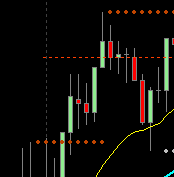
Sure. Go into "Data Series" and set the colors of all the components of the price bar to "Transparent." See below.

Before. Price with 2 indicators:


Now change the colors of the price bars:


Price now gone, indicators still there:


Bob.


Reply With Quote
Thanked by:
  #3 (permalink)
 ness1g 
boston ma
 
Experience: Beginner
Platform: ninja
Trading: futures, stocks
Posts: 212 since Oct 2011
Thanks Given: 384
Thanks Received: 158


Hi Bob,
Actually I'm looking to see the indicator in the lower section only of the chart.

Thanks,
Rob


Attached Thumbnails
Click image for larger version

Name:	6-13.JPG
Views:	251
Size:	186.6 KB
ID:	150837  
Started this thread Reply With Quote
  #4 (permalink)
 ness1g 
boston ma
 
Experience: Beginner
Platform: ninja
Trading: futures, stocks
Posts: 212 since Oct 2011
Thanks Given: 384
Thanks Received: 158

you were right I just made candles transparent and moved indicator into price bar box.

Thanks Bob


Started this thread Reply With Quote
Thanked by:
  #5 (permalink)
 
bobwest's Avatar
 bobwest 
Western Florida
Site Moderator
 
Experience: Advanced
Platform: Sierra Chart
Trading: ES, YM
Frequency: Several times daily
Duration: Minutes
Posts: 8,175 since Jan 2013
Thanks Given: 58,026
Thanks Received: 26,426


ness1g View Post
you were right I just made candles transparent and moved indicator into price bar box.

Thanks Bob

OK, but here's an easier way:

Right-click on the lower indicator's value scale, over where the values are shown. Select "Maximize":


Boom:


This is simpler, and you can go back to showing both if you want by just right-clicking in the margin scale again and selecting "Restore".

Bob.


Reply With Quote
  #6 (permalink)
 ness1g 
boston ma
 
Experience: Beginner
Platform: ninja
Trading: futures, stocks
Posts: 212 since Oct 2011
Thanks Given: 384
Thanks Received: 158

interesting , I never knew that.
Thank you Bob


Started this thread Reply With Quote


Last Updated on July 13, 2014


© 2026 NexusFi®, s.a., All Rights Reserved.
Av Ricardo J. Alfaro, Century Tower, Panama City, Panama, Ph: +507 833-9432 (Panama and Intl), +1 888-312-3001 (USA and Canada)
All information is for educational use only and is not investment advice. There is a substantial risk of loss in trading commodity futures, stocks, options and foreign exchange products. Past performance is not indicative of future results.
About Us - Contact Us - Site Rules, Acceptable Use, and Terms and Conditions - Downloads - Top
no new posts