Welcome to NexusFi: the best trading community on the planet, with over 200,000 members Sign Up Now for Free
Genuine reviews from real traders, not fake reviews from stealth vendors
Quality education from leading professional traders
We are a friendly, helpful, and positive community
We do not tolerate rude behavior, trolling, or vendors advertising in posts
We are here to help, just let us know what you need
You'll need to register in order to view the content of the threads and start contributing to our community. It's free for basic access, or support us by becoming an Elite Member -- discounts are available after registering.
-- The NexusFi team
(If you already have an account, login at the top of the page)
Thanks for sharing your xml. I've been assuming that the FootprintV2 color settings in which you used "gainsboro" on the bars' levels was POC but its labeled "Profile Color". It seems to be on the portion of each bar with the most/longest histogram horizontal measure/line. Is that correct?
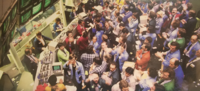
Great visual display BTW that tells the story; I can almost hear the crowd at those prices!! <g>:
Also FYI your xml generated a loading error indicating an old version creation on a newer(8.0.28.0 64-bit) mismatch....... but works fine
@mk77ch, excellent additions! The pattern detection combined with high volume alerts should catch those institutional absorption moments beautifully.
The scaling persistence is a quality-of-life improvement many will appreciate - nothing breaks flow like constantly readjusting chart views between footprint types.
Quick question on the pattern detection: Are you using delta divergence patterns (price up/delta down), or focusing more on absorption patterns at key levels? I've found unfinished auctions at session boundaries particularly revealing when combined with footprint analysis.
The MIDAS optimization is intriguing too - are you applying it to volume-weighted levels or using it for dynamic S/R calculation? Either way, having that integrated directly saves switching between indicators.
Keep pushing the boundaries. The best tools emerge from traders who understand the pain points.
"The Matrix is everywhere. It is all around us. Even now, in this very room."
Please leave feedback here. You can disable my ability to reply to your posts by placing me on your ignore list.
Fi provides educational information on a best-effort basis only. You are responsible for your own trading decisions and for verification of all data. This message is not trading advice.
I want to start off by saying that I absolutely appreciate this indicator @mk77ch ... Since the latest update, I have noticed that the Cumulative Swing Delta does not print consistently if at all, nor does it print the MIDAS curves. I am not sure if it because I loaded your xml file or if the updates have affected it in any way. I am wondering if anyone else is experiencing the same behaviors? Thanks again for such a fantastic indicator, it has truly changed the game for me and my futures trading.
Thank you mk77ch for your great indicator. It is fabulous. I am having some trouble with the lower data volumetric info bar and the Session data (Session Delta and Volume) being extremely faint to the point that they are hard to read. I have tried to read this whole thread and also adjusted the settings within the indicator with no luck. Do you have any advice on this? The price bars are showing the correct opaqueness (if that's a word) and are easily visible. Thanks again!!!
I've not updated to the latest version but I managed to alter the opacity for the delta bars at the bottom region if that's what you're wanting to do.
If it's other parts of the bottom region then perhaps look through the code and similarly change the incidents of opacity from where it has something like 0.04f change it to 0.9f.
Below is the code I changed for the delta bars as an example.
Remember to F5 compile after any code changes
Hope it helps.
Open an indicator Editor from the NT Control Centre via:
New > Ninjascript Editor :
On the right hand panel double click on the Infinity folder and then again on the FootPrint Indicator to open it.
On the version I'm using at line 5653 is the "delta" region. It might be a different line number in the version you have.
Click + sign to expand the region.
Here's the code I changed incidents of 0.04f to 0.9f for askBrush.Opacity and bidBrushOpacity. There are two incidents of each.
F5 compile after any code changes
Hope it helps
EDIT: I just saw you subsequent post. I'm not so young myself or a "coder", lol, but give it a try.
If it all goes wrong and doesn't compile via F5 then simply right click on the indicator name in the right hand panel and then "Remove".
Wait a bit and the indicator will be completely removed from NT8 and you can download it again.
As a follow up to my previous post if it helps we can also have the Opacity in the indicator Settings.
First create a name for the opacity in OnStateChange ie "deltaOpa":
Put the new line in OnStateChange region, similar to this screen shot: A while back I also added settings for vaHVaL and POC so ignore those, but the screen shot below gives you an idea where to put the new line for the delta opacity.
deltaOpa = 0.9f;
Then replace the incidents of 0.04f or 0.9f with the name you created ie: deltaOpa.
So the code for "delta" regions from my last post would read as follows with the 0.9f replaced with deltaOpa:-
Finally add the following code in Properties:-
Now you'll have that deltaOpa in the indicator Settings if ever you want to alter the opacity without having to edit the code each time.
If it helps, a while back in post #128 I also did this for the opacities for the Value Area High, Low and the POC
Thanks zt379 ! Awesome. I'm an old guy and not a coder but I will definitely give it a shot. I didn't mention before, but the Delta and Volume summation when displayed Above/Below the Bar is also very faint. Thank You !!!!!
Your welcome. I'm not so young myself or a coder.
I added some extra info in previous posts to help navigate through making the changes.
The opacity for bar text info you're referring to is in the "drawFootPrintBarInfo" region.
Click the + sign to expand it.
Change the incidents of 0.05f to 0.9f (which I've already done in the screen shots below) from where it says "Upper text" and scroll down changing all of them to 0.9f which is the highest opacity setting.