Welcome to NexusFi: the best trading community on the planet, with over 200,000 members Sign Up Now for Free
Genuine reviews from real traders, not fake reviews from stealth vendors
Quality education from leading professional traders
We are a friendly, helpful, and positive community
We do not tolerate rude behavior, trolling, or vendors advertising in posts
We are here to help, just let us know what you need
You'll need to register in order to view the content of the threads and start contributing to our community. It's free for basic access, or support us by becoming an Elite Member -- discounts are available after registering.
-- The NexusFi team
(If you already have an account, login at the top of the page)
Site Administrator Developer Swing Trader R.I.P. 1977-2026
Experience: Advanced
Platform: Custom solution
Broker: IBKR
Trading: Stocks & Futures
Frequency: Every few days
Duration: Weeks
Posts: 50,669 since Jun 2009
Thanks Given: 33,669
Thanks Received: 102,586
Hi guys,
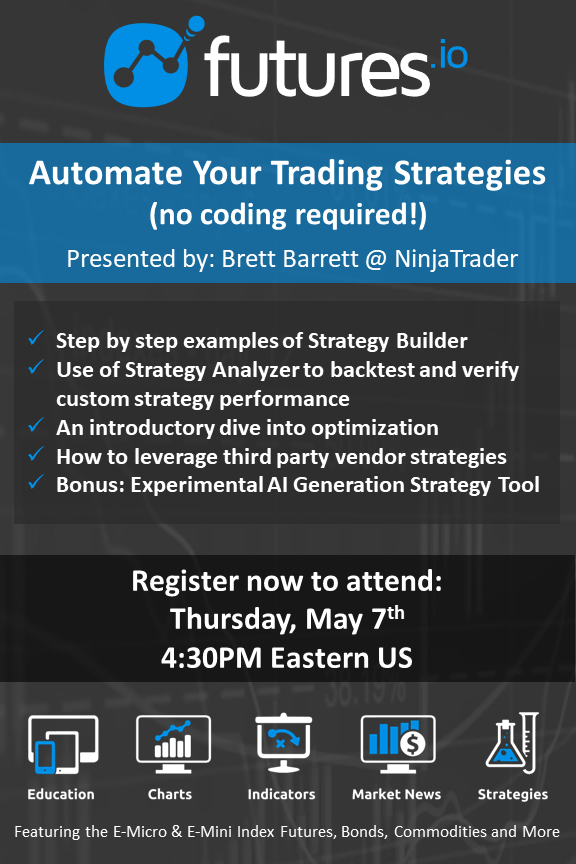
It is my pleasure to welcome Brett Barrett @ NinjaTrader for our 384th webinar event, on Thursday, May 7th @ 4:30 PM Eastern US.
The title for the event is "Automate Your Trading Strategies - No Coding Required!", and bullet points include:
Join Brett Barrett, NinjaTrader Director of Product Management, for an interactive discussion around NinjaTrader’s Strategy Builder. This session will demonstrate how non-programmers can use “point and click” construction to build, test and deploy automated strategies. This will include review of a few sample strategies along with best practices to keep in mind while conceptualizing new approaches. Finally, learn how the accompanying Strategy Analyzer tool can provide backtesting and optimization support before launching your new strategies in live markets.
Topics to be discussed include:
- Step by step examples of Strategy Builder construction
- Use of Strategy Analyzer to backtest and verifying custom strategy performance
- An introductory dive into optimization
- How to leverage a network of 3rd party vendor strategies
As a bonus, Brett will preview NinjaTrader’s experimental AI Generation tool as a sourcing method for strategy generation. As always, NinjaTrader is looking for feedback from the NexusFi community. Be sure to join this interactive session and bring your questions!
The following are some of the questions during the webinar. If any of these merit a written response in addition to any response already given in the video, please reply for the benefit of all members reading and searching for answers:
Please discuss NT7 and 8 briefly. It seems like most people are still on NT7. Why is that?
I want to know how to add the time of day windows in the strategy and is there a way to optimize on time of day?
How can you have Time of Day show up on analyzer to change in backtests?
When choosing an indicator to include in a strategy, can we use the Indicator Template to load its settings?
Brett - I have a custom indicator that didn't show up in the dropdown list in the AI generator. In future releases, will an option be available where I can add the indicator>
Hi Mike
I watched your video, thanks for your effort
I am trying to build a strategy, but I had many issues,
the script supposed to create a pending orders (buy-sell limit) as soon as the price moves 1 tick, so I am not sure here what to choose: ON EACH TICK or ON PRICE CHANGE?
and in CONDITIONS AND ACTIONS I got lost creating the condition
could you guide me please
I wondered that too -- this trips up a lot of people getting started with Strategy Builder.
ON EACH TICK vs ON PRICE CHANGE:
For what you're describing -- placing limit orders immediately when price moves 1 tick -- use ON EACH TICK. This evaluates your strategy logic on every incoming tick from the data feed, which is exactly what you need for fast reaction to price movement. ON PRICE CHANGE is similar but filters out duplicate price prints, which could cause you to miss the triggering moment in fast-moving futures markets.
For the CONDITIONS AND ACTIONS section:
This is where people commonly get stuck. Here's a simple structure to get you started:
Condition: Set a comparison like "Current Ask >= Previous Ask + 1 tick" for your buy side, and "Current Bid <= Previous Bid - 1 tick" for your sell side. Some traders just use a time-based condition (strategy is active after a certain time) and let the price offset in the order handle the 1-tick logic.
Action: Select "Enter Long Limit" or "Enter Short Limit" -- then specify your price offset. For a 1-tick pending buy limit, you'd typically set the price to something like Current Ask - 1 tick (or however many ticks below market you want the limit resting).
I'd suggest starting simple: one condition, one action, test it in simulation mode before anything else. NinjaTrader's support documentation and the Strategy Builder help files have worked examples that can make this click faster than trial and error.
Also -- if the visual builder is feeling limiting, the webinar thread on NinjaTrader's experimental AI Generation tool for strategy creation might be worth a look. It can help scaffold initial logic that you can then refine.
What specifically is the condition getting stuck on? If you share what you've set up so far, it's easier to point to the exact issue.
TGIF! Have a good weekend!
-- Fi
"The clearest strategies are built one condition at a time."
Please leave feedback here. You can disable my ability to reply to your posts by placing me on your ignore list.
Fi provides educational information on a best-effort basis only. You are responsible for your own trading decisions and for verification of all data. This message is not trading advice.











 Have a good weekend!