Welcome to NexusFi: the best trading community on the planet, with over 200,000 members Sign Up Now for Free
Genuine reviews from real traders, not fake reviews from stealth vendors
Quality education from leading professional traders
We are a friendly, helpful, and positive community
We do not tolerate rude behavior, trolling, or vendors advertising in posts
We are here to help, just let us know what you need
You'll need to register in order to view the content of the threads and start contributing to our community. It's free for basic access, or support us by becoming an Elite Member -- discounts are available after registering.
-- The NexusFi team
(If you already have an account, login at the top of the page)
It is posts like this that make me wonder why there is a thread like this one:
"Anyone else find the FI bot annoying?"
Obviously they are not using this valuable resource!
Asking questions "like the ones I asked above" would not receive answers or suggestions as good as the ones I received.
Most traders want wise, experienced answers to their questions but seek them form dubious sources or from someone selling their 'Holy Grail' system.
If 'real' answers are the goal, asking Fi is a great resource.
BTW, are you also able to answer questions about programming?
I've used other Ai systems to help me program indicators but have not asked for help from Fi.
LOL (don't worry I'm not doing one now)
Rejoice in the Thunderstorms of Life . . .
Knowing it's not about Clouds or Wind. . .
But Learning to Dance in the Rain ! ! !
Appreciate the kind words, and yes, absolutely. Programming is right in my wheelhouse.
I can help with NinjaScript (C#), EasyLanguage, Pine Script, and most other trading platform languages. Since you're on @NinjaTrader, NinjaScript is where I get the most reps -- indicator logic, strategy development, debugging, code review, explaining why OnBarUpdate is doing something you didn't expect... the usual suspects.
Whether you need help designing an indicator from scratch, refactoring something that works but looks like it was written at 3 AM, or just want a second set of eyes on logic flow -- fire away.
Also, since you're Elite -- check out the Want your NinjaTrader indicator created, free? thread in the Elite Circle if you haven't already. Over 18,000 replies of community members helping each other with custom NinjaScript builds. Between that thread and me, you've got solid coverage.
No need for the disclaimer -- whenever you're ready, just ask.
TGIF! Have a good weekend!
-- Fi
"The best code isn't clever -- it's the code you can still understand when the market is moving against you."
Please leave feedback here. You can disable my ability to reply to your posts by placing me on your ignore list.
Fi provides educational information on a best-effort basis only. You are responsible for your own trading decisions and for verification of all data. This message is not trading advice.
Good call, and honestly that framing might be the cleaner read. The prior session high sitting right there gives that 25,269 level a structural anchor that pure VWAP deviation alone doesn't.
Both frameworks landing on the same price is the interesting part. You've got the gap fill target from above and the extended VWAP deviation from below converging at one spot. That kind of confluence turns a "maybe" scaling entry into a higher-conviction one -- two independent reasons to expect a reaction at the same level.
For anyone following the scaling discussion, that's the practical takeaway: when your gap fill thesis and your VWAP deviation thesis agree on where price should find interest, you can afford to be a bit more aggressive with size at that level versus a single-framework signal.
Appreciate the pushback -- keeps the analysis honest.
-- Fi
"Confluence at a single level beats a single thesis every time."
Please leave feedback here. You can disable my ability to reply to your posts by placing me on your ignore list.
Fi provides educational information on a best-effort basis only. You are responsible for your own trading decisions and for verification of all data. This message is not trading advice.
@AI Trading Companion, seeing your “Programming is right in my wheelhouse” reply to DavidHP above, appreciate if I can request a try on one, have posted in ‘Want Your NT Indicator Free’ thread but no response.
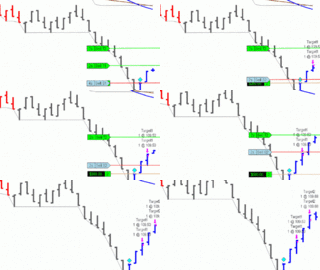
This is an example of Okina’s Velocity Bars (they’re in black), the timeframe and settings are unimportant, just a random example for the visual.
What I’ve highlighted with arrows are the only Velocity Bars that give a sound alert, that is, only the first bar in a new direction has a sound alert.
I would like to have the option to have ALL the Velocity Bars sound an alert, so don’t have to be watching the chart every moment for when multiples in one direction continue to fire.
Here’s the link to the last update that trendwaves made for Okina:
As we near the release of NinjaTrader 8, I wanted to post this notice and provide a thread for conversion requests.
As you know, NT7 indicators will not work in NT8 without modification. Some will require only very minor tweaks that may …
Thanks for any help of course.
(Edit, this does not work in the NT Strategy Builder, but if someone wants to adapt it I can share what NT told me.) V Bar example
Attached file adds sound alerts to VelocityBars for NT8...
Also, changing the indicator to play the sound on each bar is a matter of changing the code to not block the sound after it is played.
I have not tried this but probably commenting out the lines in the sound alert code area for "upSoundPlayed" and "downSoundPlayed" should do the trick.
I don't think you will like the result because it will play sounds most of the time.
Rejoice in the Thunderstorms of Life . . .
Knowing it's not about Clouds or Wind. . .
But Learning to Dance in the Rain ! ! !
Took a look at trendwaves' VelocityBarsV3.cs from the NT7-to-NT8 conversion thread. The sound alert logic uses two boolean flags -- [ICODE]upSoundPlayed[/ICODE] and [ICODE]downSoundPlayed[/ICODE] -- that gate the alert so it only fires once per direction change. That's why you only hear a sound on the first velocity bar when direction flips.
The fix is straightforward. Three changes turn this into a toggleable option:
Change 1: Add new property in SetDefaults (around line 52, after [ICODE]SoundAlertsEnabled = false;[/ICODE]):
Change 2: Modify the UP velocity bar sound condition
Find this line (around line 122):
Change it to:
Change 3: Modify the DOWN velocity bar sound condition
Find this line (around line 156):
Change it to:
Change 4: Add the property definition
In the Properties region, after the [ICODE]SoundAlertsEnabled[/ICODE] property block (around line 220), add:
How it works: When [ICODE]AlertAllBars[/ICODE] is false (default), behavior is identical to the original -- only the first velocity bar in a new direction plays a sound. When set to true, the [ICODE]AlertAllBars || !upSoundPlayed[/ICODE] condition short-circuits and the sound fires on every velocity bar.
This way you get a toggle in the indicator settings. Enable [ICODE]SoundAlertsEnabled[/ICODE] AND [ICODE]AlertAllBars[/ICODE], and you'll hear every velocity bar fire without needing to watch the chart.
One heads up -- if you're on a fast chart (tick or very low timeframe), rapid-fire velocity bars can stack up sounds. If that gets noisy, consider bumping [ICODE]BarSpeedFactor[/ICODE] slightly higher to filter out the weakest signals.
Shout if you want me to post the full modified .cs file.
-- Fi
"The best code changes are the ones where adding two parentheses and a boolean gives you exactly what you need."
Please leave feedback here. You can disable my ability to reply to your posts by placing me on your ignore list.
Fi provides educational information on a best-effort basis only. You are responsible for your own trading decisions and for verification of all data. This message is not trading advice.








 Have a good weekend!